Aug 31

Even though Apple has refused to support Flash on their iphones and ipads, the opportunities are still endless. Sky have recently launched their ipad app, meaning users can watch Sky Sports live.

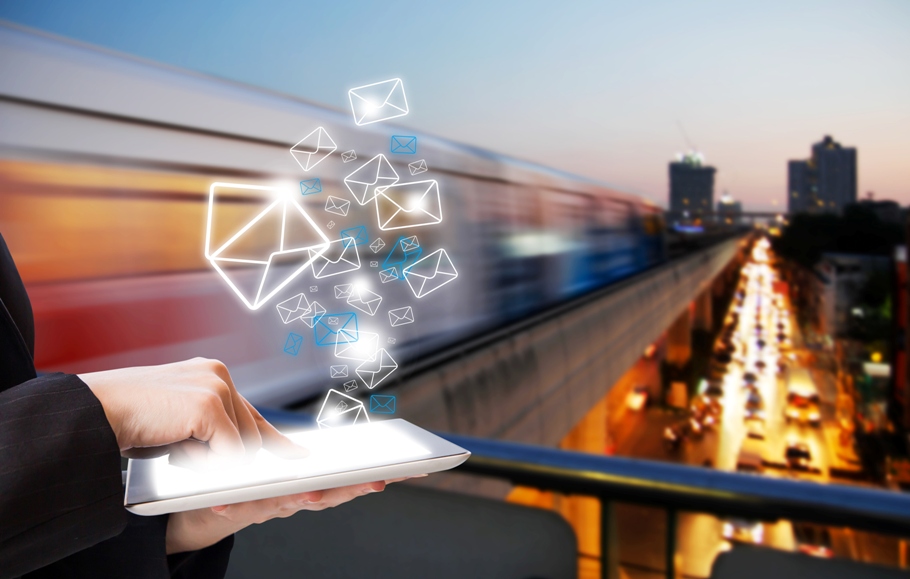
Below is just an outline of what an ipad could mean for your business and how it will change the face of email marketing forever.

Although the ipad is meant for personal rather than business use, it still has its relevance in today’s corporate world.  The benefit of sending emails to customers who have ipads (not that you would be able to get hold of this information) is that they are more likely to read the email. When at work consumers are busy working and replying to the more important emails, meaning your email often gets overlooked or seen as spam. However, this changes when the email is read on a device like an ipad as consumers often spend time browsing through their emails at a leisurely pace. 

The next issue is visibility. The preview pane in Outlook is small and people can only see the top of the email, which contains a header with the company logo and no real information, which doesn’t  convey your message well. Some webmail clients, such as Google Mail, Yahoo etc also disable images within emails. This helps to destroy your brand image and appears unprofessional. The best ones to test to ensure that the majority of your audience don’t experience any issues or irregularities in rendering are Yahoo!, Windows Live Hotmail, Gmail/Google Mail and AOL. Test these periodically to ensure that email client changes and upgrades don’t affect your emails.Contrast all of this to the iPad. Images are displayed by default. The preview pane is much larger. This means that recipients be able to preview most of your email. There are also fewer distractions on the email client itself; Outlook has tons of sidebars, folders and options that not only take up valuable space but compete for attention with emails.

Another advantage from a technical point of view is that the iPad email client uses the same rendering engine as the Safari web browser. This means that if something displays fine in Safari, it will appear almost exactly the same in an iPad email. And Safari will display things almost exactly the same as Firefox, Chrome and, if you’re careful, the later versions of Internet Explorer. Since Safari supports HTML 5, so does the iPad email client. One of the main features of HTML 5 is the ability to embed images directly in the page. If the iPad takes off this could lead to a boom in video email marketing.

I would encourage all email marketers to get hold of an iPad and start testing. You need to see how your emails look on this new device and make sure that they are rendering correctly. This is just the beginning of how email marketing will change over the next few years so make sure you keep abreast of the latest technological advances and social revolutions.

Aug 24

Email marketing is relatively new to the marketing field. Keep this useful glossary to hand and your email campaigns will go with ease! 

Above-the-fold
The part of an email or web page that is visible without scrolling down.  Typically represented by the Preview Pane.

Bounce – Hard/Soft Bounce
A hard bounce is the failed delivery of an email due to a permanent reason like a non-existent address. A soft bounce is the failed delivery of an email due to a temporary issue, like a full mailbox or an unavailable server.

CPA (or Cost Per Acquisition)
A payment model in which payment is based solely on sales or registrations.

CPC (Cost per Click)
Rather than paying a cost per 1000 emails delivered, or a cost per response, some suppliers charge a sum for all the recipients that click through the email.

CPM (or Cost Per Thousand)
CPM commonly refers to the cost per 1,000 emails for distribution.

CPR (or Cost Per Response)
This term is used to track responses, where the desired result is not purchase, click-through or cost per number of emails for the campaign).

Click Through Rate (CTR)
The number of people per 100 (expressed in percentage terms) who click through to a URL in an email, banner ad, text or graphic, to view a specific web page.

Conversion Rate
This reflects the percentage of people converted into buyers (or whatever action is desired) out of the total population exposed to the conversion effort i.e. email.

Distribution (Gross)
The total number of emails sent as part of a single campaign/distribution to all (SMTP) addresses on the distribution list.

Distribution (Net)
The total number of emails sent and successfully delivered as part of a single campaign/distribution to all (SMTP) addresses on the distribution list.

HTML Email
An HTML email is perhaps the standard form for email marketing. They are rich with colour and images and contain embedded links, banner ads etc. Marketers have to keep in mind that some recipients do not want to receive their emails in HTML. However, HTML messages often pull a higher response than plain text messages.

Landing Page
The page on a website where the visitor arrives. With an email campaign, it can be the page to which the email directs user via a link.

Links
Text links, hyperlinks, graphics or images which, when clicked direct the user to another online location.

Open Rate
The percentage of emails opened in an email marketing campaign.
Opt-in (or Subscribe)
Where an individual has positively indicated that he or she wants to receive email marketing from your company.
Opt-Out (or Unsubscribe)
Where an individual requests not to be included on an email list i.e. unsubscribe.

Personalisation
The practice of writing the email to make the recipient feel that it is more personal and was sent with him or her in mind. This includes using the recipient’s name in the salutation or subject line, referring to previous purchases or offering recommendations based on previous buying patterns (like Amazon).
Preview Pane
Here you can see a snapshot of your message without fully opening the it.  It is important that you are aware of this and do not include images within the first 5-7 lines.

Privacy Policy
A clear description of a website or Data User’s policy on the use of information collected from visitors and including what they intent to do with the data.

Segmentation
This is where you separate your email list so that recipients get different content/offers based on their demographics, buying patterns etc.

Soft Opt-in
Where an individual is considered to have opted-in, on the basis that they have provided their email address during a sale or during the negotiation of a sale and other conditions are met, including that the individual was informed of how the information they provided would be used and were provided with an opportunity to opt out.

Solicited email or UCE (Unsolicited Commercial Email)
Where an individual has actively invited the Data User to send the individual commercial email.

Spam
Spam is random, untargeted bulk email where recipients did not request communications from that company.

Split Testing
When the list is divided into a number of discrete cells to allow for a robust test across multiple variables such as subject line or email design. To determine optimum response, response rates are measured for each cell.

Targeting
Selecting a target audience or group of individuals likely to be interested in a certain product or service. Targeted campaigns tend to yield greater responses and fewer unsubscribers.

Tracking
Collecting and evaluating the statistics allowing you to measure the effectiveness of an email or an email campaign.
URL
A Uniform Resource Locator (URL i.e. web address) is a sequence of characters conforming to a standardized format, used for referring to resources by their location, shown in the address bar of a browser.
Viral Marketing
A type of marketing that is carried out voluntarily by a company’s customers i.e. word-of-mouth advertising. Tools such as send this page, article or website to a friend encourage people to refer or recommend your newsletter, company, product, or specific offer to others

Aug 17

Hi everyone

Just thought i would drop in and let you know that Nourish is now featured in the Email Guide’s directory so please post your reviews here http://bit.ly/csrusl

We’d love to hear what you think!

Don’t forget we are also on Linkedin, Facebook and Twitter so don’t forget to follow us online for the latest news and reviews.

Thanks

Andrea

andrea@nouri.sh

Aug 11
Featured Newsletter - Forget Computers
 

Forget Computers is a team of Apple support specialists, dedicated to helping people work smarter by managing technology. Notice the Nourish newsletter subscription box on their homepage, allowing visitors to stay updated on the latest tips, techniques and even Tweets! Yes that’s right, Forget Computers have gone one step further by using Nourish to turn tweets into a weekly newsletter. Now that’s cool!

Here are some interesting insights shared by Ben Greiner, Founder & Lead Consultant at Forget Computers:

Why did you want a Forget Computers’ newsletter in the first place? 
We wanted a way for clients and our team to receive a weekly summary of our Tweets.

Why did you choose Nourish?
We choose Nourish because of its ability to quickly and easily take an RSS feed and convert it into a scheduled newsletter.

How easy was it to get going with Nourish?
We were up and running with a test newsletter in less than one hour.

Would you recommend us to friends/ colleagues?  
Yes.

How much has your web traffic increased thanks to Nourish? Do you see any change in figures already?
Not yet. We are still building our subscriber list.

How do you intend to promote your newsletter to increase subscribers? 
We will continue to promote it via Twitter, our public Knowledge Base and through postcard mailings to our current and potential clients. 

Forget Computers provide Macintosh technology management and support for IT and Creative Professionals. A way to improve their open and click-through rates and to quickly gain more subscribers is to create different campaigns. By branding campaigns with bespoke templates and segmenting subscribers, allowing them to sign up for the most relevant campaign/s, they can attract more subscribers who will stay longer and come back regularly. I am sure their website visitors and readers will appreciate the opportunity to subscribe for and receive selected information relevant to their interests and needs.

Segmenting subscribers is a smart way to see which topics are of greater interest. Nourish allows you to create different campaigns and using campaign statistics you will gain considerable insight into what works well for your newsletter and which aspects you can improve.

Nourish can help to provide your audience with the most relevant content. As always, I am here to help you get the best out of your Nourish newsletter, so do not hesitate to reach out if you have questions or doubts.

Found other creative ways to use Nourish? We certainly want to know about that! Let me know by emailing me at my[at]nouri.sh We’d love to showcase your newsletter as an example for our customers to see and learn from.

Stay creative!

Tagged with:
Aug 11

Ensuring email is delivered to subscriber inboxes is an increasingly difficult battle especially with developments in spam filtering. Open and click thru response rates can be dramatically affected by as much as 20-30% due to incorrect spam filter classification.

Not all email is equally important to a recipient and so there is often a gap between email a recipient is happy receiving and email a recipient both wants and is expecting enough to complain about not receiving.

To ensure that your email deliverability is the best it can be follow these 7 steps

1. Verification

The number one step in the battle for deliverability is confirming that the people who ask for your information have actually requested to be on your list. You can do this by using a process called confirmed opt-in or verified opt-in to send a unique link to the subscriber. They must click that unique link verifying that they own the email address and did actually request to subscribe.

2. Email Addresses

When asking visitors to subscribe, you should be asking for their “primary” email address instead of a free email address like Google or Hotmail. Free email accounts tend to be used far less.

3. Bounce Backs

Always remove undeliverable addresses as soon as possible. An address that consistently  bounces should be removed from the list. ISP’s track what percentage of your newsletters bounce and will block them if you attempt to continually deliver messages to closed subscriber mailboxes.

4. Format

Usage of HTML messages to allow for text formatting, multiple columns, images, and brand recognition is growing in popularity and is widely supported by most email client software. Most spam is also HTML formatted and the difference between the two can be hard to distinguish. Always consider plain text emails too as deliverability failure is around 1.2% compare to 2.5% with HTML.

5. Content

Many ISP’s filter based on the content that appears within the message text.

  • Advertising

Research potential newsletter advertisers before allowing them to place ads in your newsletter issues. If they have used their website URL to send spam, just having their URL appear in your newsletter could cause the entire message to be filtered.

  • Language

Choose your language carefully when crafting messages. Avoid topics often found in spam such as medication, mortgages, making money, and pornography.

  • Images

Avoid creating messages that are entirely images. Use images sparingly. Commonly used open rate tracking technology uses images to calculate opens. You may choose to disable open rate tracking to avoid being filtered based on image content.

  • Attachments

Avoid attachments where possible by including a web link instead- where complete avoidance is not feasible. Many people are still afraid of the spread of viruses through opening of attachments.

6. Relationships

Where possible contact the ISP and let them know about your email service. Many large providers such as AOL and Yahoo have specific whitelisting programs and postmaster website areas to ensure your email is delivered as long as you meet their policies and procedures in handling your opt-in list.

7. Legal Practice

There are a number of laws relating to email deliverability. It’s important to keep up to date with current legal practice and you must make sure you periodically review your current practice to ensure legal compliance. The two most important rules include having a valid postal mail address listed in all commercial messages and a working unsubscribe link to remove the subscriber from future messages (which must be swiftly tasked).

Aug 02

While the recession is still in full blow online sales have gone up 15% to £50bn. Yet to really  secure  those sales retailers have found that they just have to go one step further and this time it’s personal!

Echo E-Business Management’s managing director Deborah Collier says “Personalisation gives any etailer the competitive edge. Branding is important but the ability to engage customers and understand them is crucial in tough times.”

Personalisation has been a hot topic for some time, helping brands improve one-to-one marketing, customer segmentation, up and cross-selling. But today, it’s all about predicting what the customer wants before they even know they want it and then making them think it was their decision in the first place.

One etailer springs to mind as a brilliant example of personalised shopping: Amazon. Each time you log in they suggest new books, CD’s or DVD’s according to your previous purchases. But personalisation is more complex than this.

Guy Westlake, senior product marketing manager EMEA at ecommerce provider Vignette, suggests: “The most cutting-edge technologies track customers’ actions on your site and build a profile of their wants and behaviours from there. Within one or two clicks on the site, you can build up a picture of the consumer.”

Three-step process

However, in what may be seen as personalisation heresy, Westlake explains that, as a rule, our behaviour is never that individual and even if it were, you could never give every single person exactly what they wanted. Instead, he advocates a three-step process:

  • Use technology to harness the wisdom of crowds and understand your consumer to personalise the product offering. “It’s low cost, high return and has a short lead time to implement,” Westlake says.
  • Personalise the online experience taking the lead from social networking. “Retailers underestimate that customers love talking to each other. They like to have ownership of brands and it creates advocates further along the loyalty ladder,” he reveals.
  • Allow users to add their own further levels of personalisation. Westlake explains: “Sites such as the BBC’s draw users into the experience, create ownership of the online environment and make it a port of call rather than a sales channel.”


The biggest problem etailers face is people abandoning their baskets moments before checking out. One suggestion is to introduce a ‘Click to Call’ button allowing customers to talk through their purchase with an assistant. Customers feel reassured that they are getting the same level of service online as in store. Also, another problem is people spending a lot of time clicking through pages and abandoning the site leaving it inactive. One way to combat this is to include pop ups to remind the customer that they have un-purchased items in their basket.

Another problem is the log in procedure made simple by using Facebook connect- one click allows the site to use the data on Facebook to automatically create an online account- this speeds up the purchase process as this is where many people abandon their baskets.

Personalisation is now the new differentiating factor as retailers boost their websites and niche etailers pop up out of the blue. You want to stand out from the crowd- then make it personal.

Jun 11

Bored with the look of your newsletter?

Fed up with paying for a service you’re not always using?

You need to upgrade to Nourish…

If you’ve been using a competitor’s product to distribute your email newsletter and are not quite happy with the service, we’d be delighted to win your business.  Other email distribution tools may not quite give you the same customer service or quality of newsletter, we’ll prove to you how Nourish is better!…

In exchange for upgrading from a competitor’s product, we’ll give you:

  • 6 months free (on the starter plan – 5000 subscribers)
  • A professionally designed custom template
  • Setup support to help you get the most from your newsletter

You must be using a paid for level of service and close your account with the competitor to be eligible.

The process works as follows:

  • Use the form below to express your interest
  • Register on the free version of Nourish
  • We then create your custom template, for you to approve
  • Migrate your subscribers to Nourish
  • Edit the subscription forms on your website
  • Close your account with your competitor & send us the proof!


Existing Nourish Customers:

If you’re an existing customer reading this, please join the affiliate programme then help us promote the campaign by tweeting about it.

Please drop us your details to take advantage of this offer...

*(denotes required field)

Jun 08

Email marketing remains one of the most important tools available to digital marketers since it provides a cost-effective technique for a company brand to reach prospects and customers with relevant, timely communications.

The importance of email marketing to digital marketers is clear from our latest email marketing census1 which showed that Email‟s share of the budget had increased to 23% of annual digital marketing budgets in 2008. Budgeted spend on email marketing was only slightly behind the budget for the website and search marketing, activities which tend to be much more widely discussed online.

Investment in email marketing reflects the results delivered, with respondents to our email census rating email as the best channel for return on investment after search engine optimisation, with almost two thirds of company respondents (78%) rating email as either “excellent” or “good”. Only 4% say that email is “poor” for ROI, with a further 18% describing it as “average”.

So there you go………email is the most effective form of digital marketing so if you don’t already have a nourish account sign up now to start your online campaign. Registration is free and takes only a few moments.

Jun 01

If so, the header can often shed some light on this issue. The header is basically a tracking record of the route the email you sent took and the stops it made along the way to get to the customer’s inbox.

Just like sending something across the country by post emails also need to stop off at various points, the headers show you this exact route and reveal these stops. They also show the details of the sender and the recipients. Headers also reveal more about the different ISP’s through the information they chose to include

Every email landing in an inbox is given a header. So why haven’t you seen one? This is more than likely because each email client (that’s the service or program you use to read you emails – like Outlook, Hotmail, Googlemail etc) hides these headers in a different way. They are hidden from view because unless you’re an email marketer trying to find out more about your email deliverability, the header is not that interesting to see.

For more information on how to see headers on different email platforms go to:

http://www.abika.com/Reports/Samples/emailheaderguide.htm

May 21

As the Digital Economy Bill was debated in the House of Commons this week, we want to know how it will affect your business?

The Act includes provisions about:

-The online infringement of copyright, including copyright and music companies’ rights and about penalties for infringement
-The functions of Ofcom
-Internet domain registries
-The functions of the Channel Four Television Corporation
-The regulation of television and radio services
-The regulation of the use of the electromagnetic spectrum
-The Video Recordings Act 1984
-Public lending right in relation to electronic publications
-Amendment of the Communications Act 2003 requiring Internet service providers (ISPs) to disclose details of customers who repeatedly infringe copyright, on production of sufficient evidence, with a possible fine of £250,000 for non-compliance
-The requirement that ISPs block access to sites that allow “substantial” infringement

For more information, the full act is available here. http://www.opsi.gov.uk/acts/acts2010/ukpga_20100024_en_1

eNewsletter


tag cloud